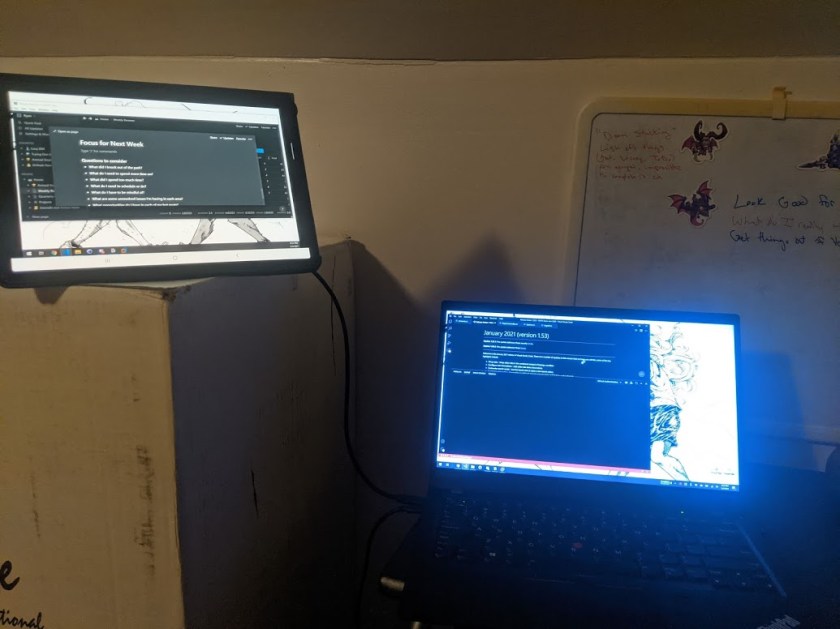
My focus for the early part of this year is to improve my productivity. Because my job has me working on a computer, an easy tool I can use is a second monitor. I’ve actually had the setup available for some time but haven’t had the push to get it working on a daily basis.
The Purpose
Every office job I’ve worked has relied on at least two monitors per person. When I went into the office regularly, I became used to the setup and found my monitors full of windows. For a little over a year, my primary work device has been a single 13 inch laptop. While it’s more than enough to get my work done, it’s quite a step away from two 22 inch monitors.
While utilizing only one screen I’ve developed two habits. One, I rarely maximize windows. Having free space around a window makes it feel less overwhelming and easier to move between windows. Two, I rely heavily on keyboard shortcuts, especially Alt+Tab. Shortcuts help to reduce the time in finding the windows I need.
Even though I’ve had the resources and ability to use a second monitor for a while, I’ve rarely used it for work. The only time I’ve regularly used it is while streaming games on Twitch. It’s nice to have the game I’m playing on one screen and the Twitch dashboard, with chat and replay, up on the other.
Building the practice back into my regular work day is something I see offering potential to help. Working as a programmer, I often have a variety of reference materials, documents, and emails open at one time. I’ve long flipped back and forth between documentation and the actual workspace. With a second screen, I can instead use the second smaller monitor for anything I need momentarily. This keeps my main screen focused on the actual work.
Tools I’m Using
The setup I’m using is a simple app called TwoMon. The app allows full control over a tablet’s screen, including the touch functionality, by connecting a USB cable. It was cheap compared to buying a whole second monitor, as the tablet is something I already own.
The tablet is a Samsung Galaxy Tab S6. I use it for a variety of other things, so adding it in as a second screen just enhances its functionality.
The reason I really like this setup is that it allows me to use a second screen not only while at home but also if I’m traveling. The tablet is something I already bring regularly for e-books and other entertainment, so it doesn’t require me carrying around extra gear.
Thoughts So Far
The experience has, so far, been a mix of pros and cons. There are times I can shove some windows that don’t need to be at the forefront to the other screen and have my important screens right in front of me.
There have been a few times that something will pop up in my peripheral vision and start pulling me down an email rabbithole or other distraction.
I did find a cool feature of my tablet that allows for multiple apps to show on screen. This allowed me to have a notes app open alongside my second screen. The tablet in use has a stylus with it, giving me an easy spot to quickly jot down notes. At home, I have two whiteboards at my desk, but I can see the functionality being helpful when traveling. This feature also helps shrink down the size of my second work screen to reduce my chance of distraction.
 Trying Out Before Buying In