This past trial was the intentional use of a second monitor. It gave me the nudge I needed to carry out on a long intended use of my tablet. There were plenty of positives with no major drawbacks.
Improved Productivity
While work didn’t always allow for it, when focused on one task, I was easily able to have my workspace and references open all at once. Not having to flip around windows to find what I needed has been a huge improvement in getting work done.
Being able to stuff any unneeded windows onto my second screen also allowed me to better focus on the task at hand.. Previously, I’d find myself looking through open windows for something I needed and end up down a rabbit hole after looking at email or something I put aside earlier.
One of the biggest benefits has been keeping my tablet in use. By putting the second screen up, I’ve rarely used my tablet for anything else during work. I’ve occasionally thrown on live streams or videos for some background noise when I start to get bored, which of course led to a greater distraction. With work taking up the screen, I have to limit what else I open.
Easy to Set Up
As I’ve mentioned a few times, getting the multiple monitors set up takes almost no time. I plug in a wire and open an app, that’s it.
The use of a device I can take nearly anywhere also helps me use the setup wherever I may be. I can easily move rooms or across the country, if I wanted.
The only downside I’ve experienced thus far is when the cord connecting the tablet temporarily gets loose or bumped, and it disconnects. The program I use for work jitters a bit and goes to only one screen. I then have to click a few buttons to get everything back in order. Luckily, it rarely happens and is only a minor inconvenience.
What’s Next?
This is another trial that I see myself continuing. There are really only upsides to continuing to build this habit.
For my next trial, I’ll be trying something a bit different. Rather than trying something that I believe will make me more productive, healthy, etc., I’m going to do the opposite. For the next few weeks, I’ll be spending more time on social media, at least 30 minutes per day.
I’ve mentioned before in a prior post, one of the main reasons I chose to use a tablet for a second monitor was for its ease in travel. In this post, I want to cover the gear I’m using in more detail, largely inspired by the gear series of posts by Tynan.
Quick Update
Before I get into the gear, I wanted to share my recent thoughts on using a second screen. I’ve gotten far more in the habit of putting things on the other monitor and have been seeing more benefits from it.
I’ve had some uses outside of work, including some personal projects and the joyous task of annual taxes. For my projects I’ve been able to put reference materials on the second monitor while using the laptop screen for the actual work.
With a few days of travel under my belt, getting set up was easy enough,succeeding in the goal of using the tablet as a screen.
The Big Tech
The Laptop
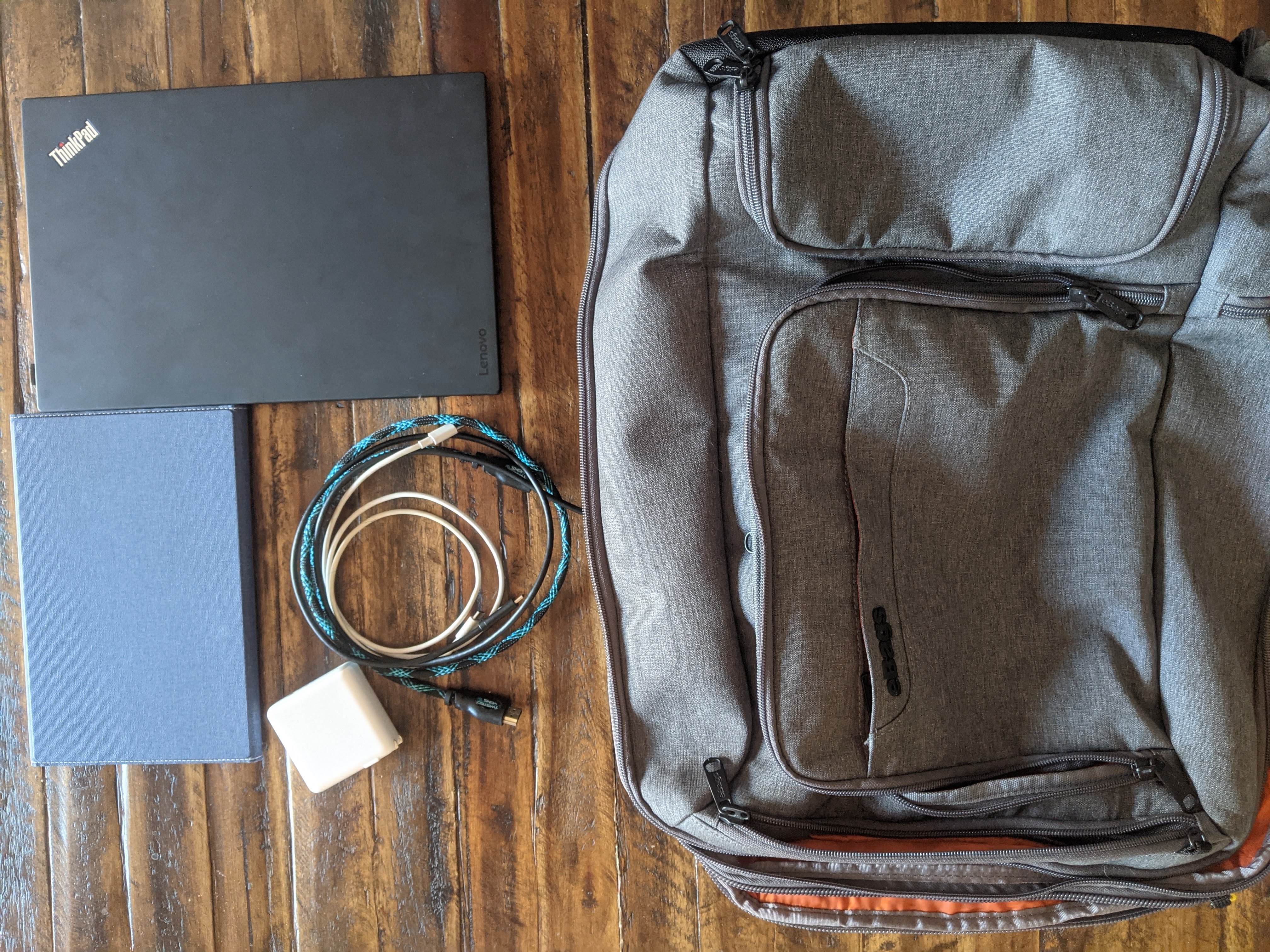
My laptop of choice became the Lenovo X1 Carbon. Inspired by the aforementioned posts by Tynan, the laptop is lightweight while having a large enough screen to work for my needs. The technical specs aren’t anything that will run the latest video games, but I can work on writing and programs with ease.
The Tablet
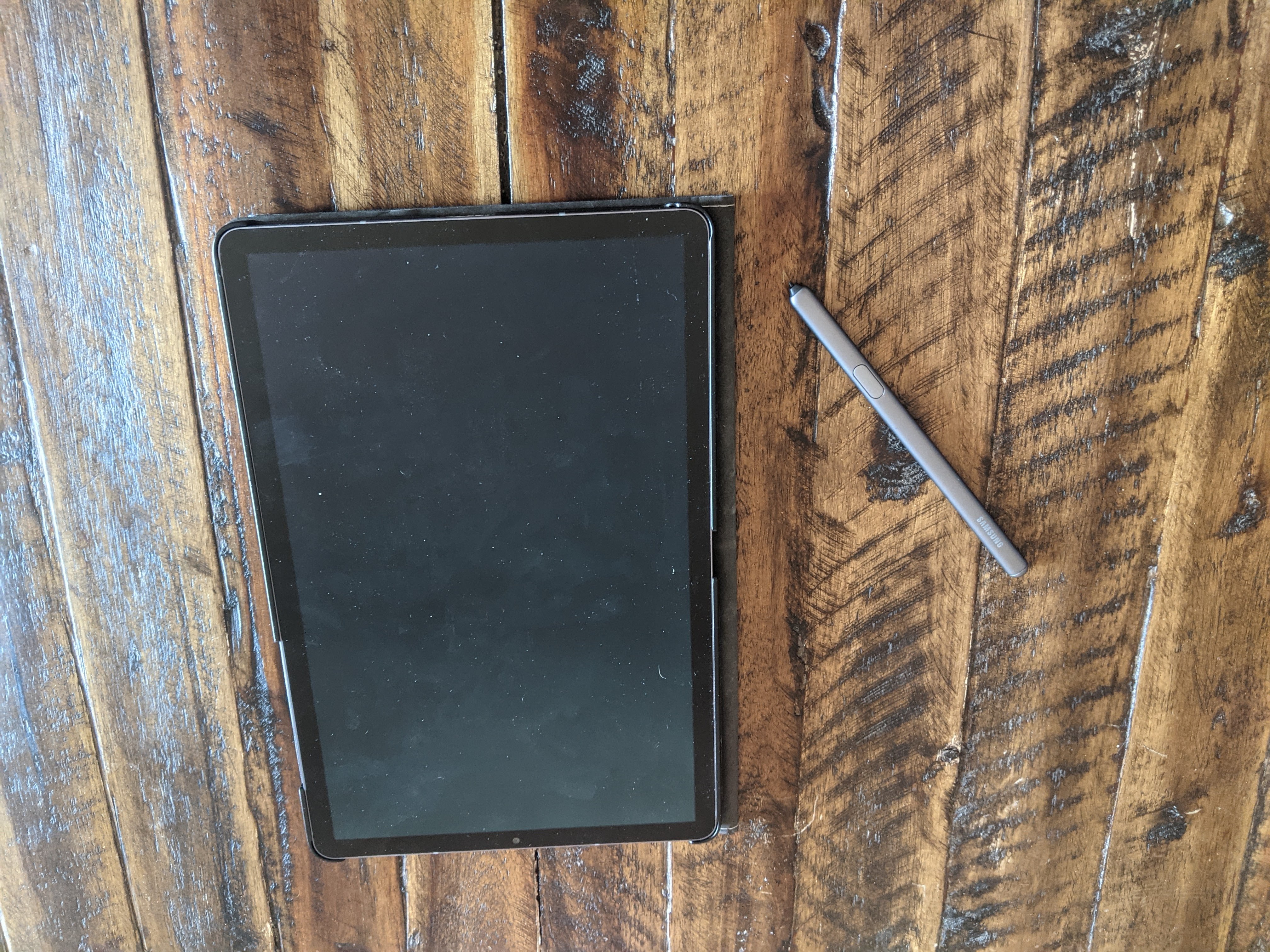
The tablet I ended up choosing was the Samsung Galaxy Tab S6. I liked the idea of having a tablet with a built in stylus, and the Galaxy Tab had good specs for the price.
One of the catalysts for buying the tablet was to replace an old laptop I bought a few years ago primarily as a streaming device. With the tablet, I was able to combine this function with an e-reader, gaming device, and notebook.
Supporting Tech
Apps and Programs
As previously mentioned, the app I’m using for turning my tablet into a second screen is called TwoMon. While it has hiccups from time to time, it definitely gets the job done. It cost me a mere $7, so I’m happy to get the use out of it that I can. With it being a one-time purchase app, I could even use it on my phone if I found myself that desperate!
For writing blog posts, I use Google Docs. It makes it easy to write and share with my editor. With the comments functionality, she can leave plenty of helpful notes for all my mistakes!
Regarding my day job, there’s some software I use to connect to all the tools I need to get my job done. For the sake of security, I’m going to leave this one vague.
There are a handful more apps I regularly use, but I may dive deeper another time, as the above are those I primarily use for work and projects like the blog.
Cords and Power
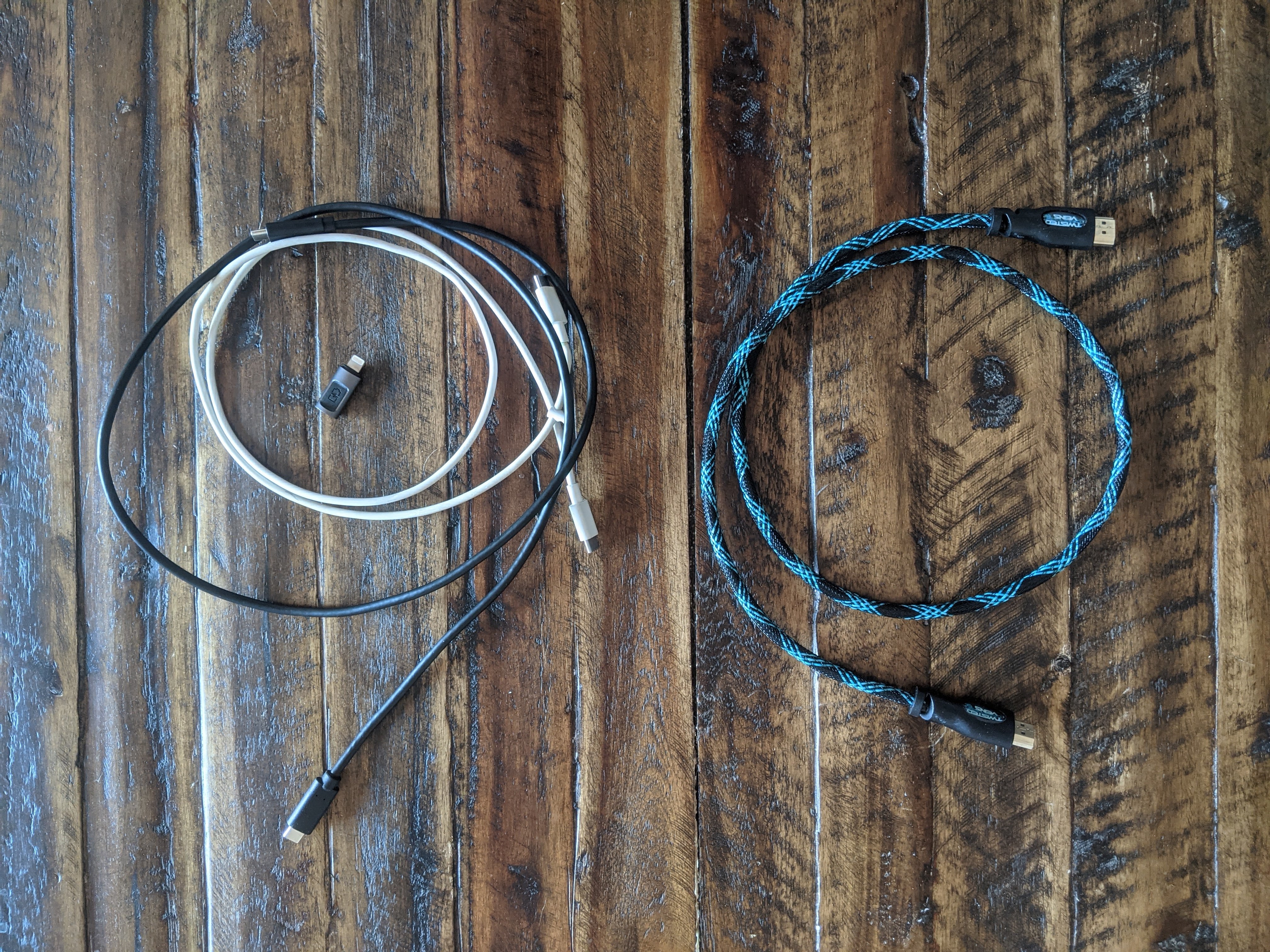
In order to simplify what kinds of cords I need, I’ve made an effort to get technology that uses USB Type-C. This has allowed me to carry only two cords for charging all of my devices. My phone, tablet, and laptop all charge by USB Type-C.
Unfortunately, my work phone is an iPhone, breaking this simplify. On the bright side, a simple Type C to lightning adapter solves this dilemma.
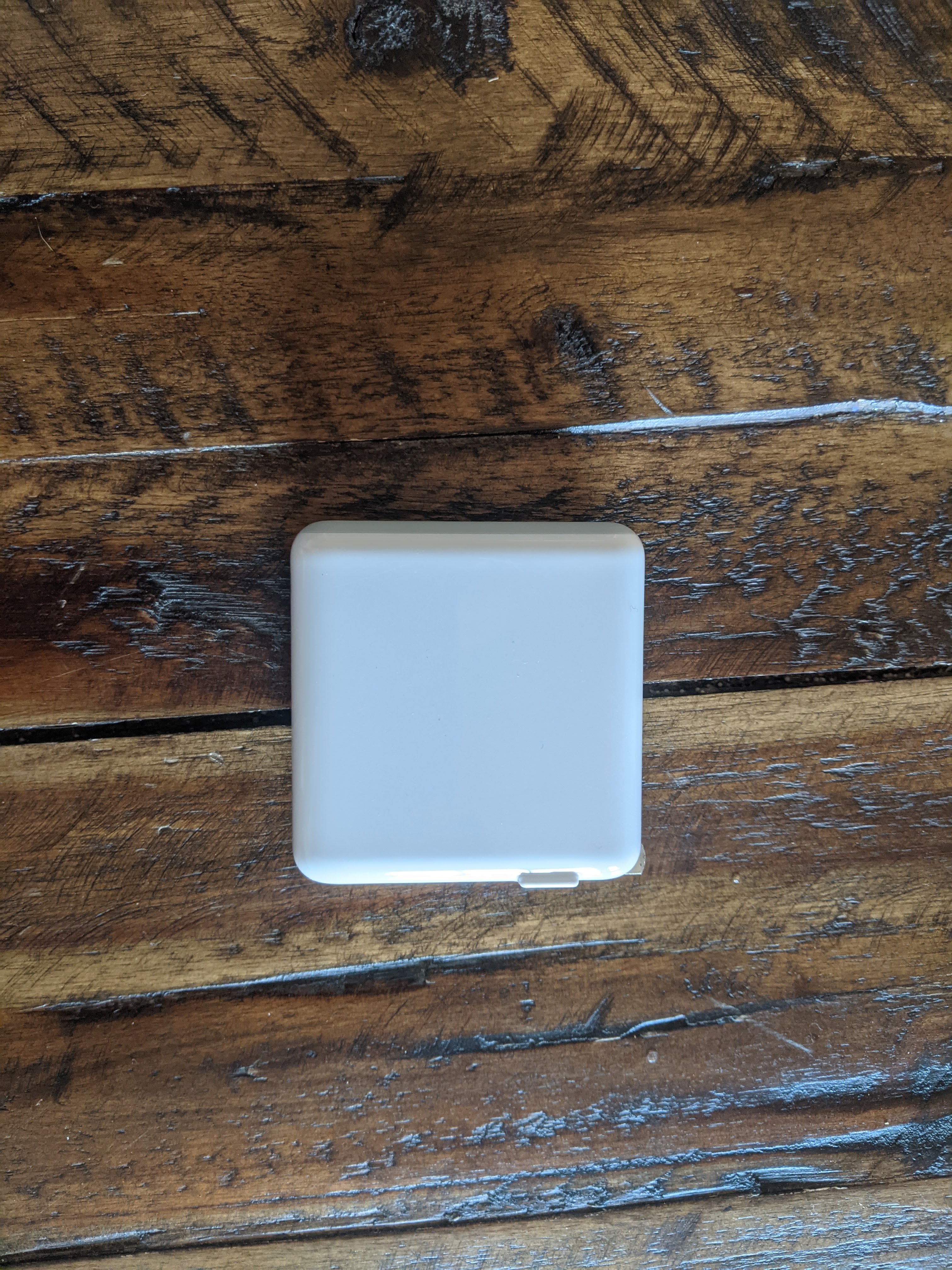
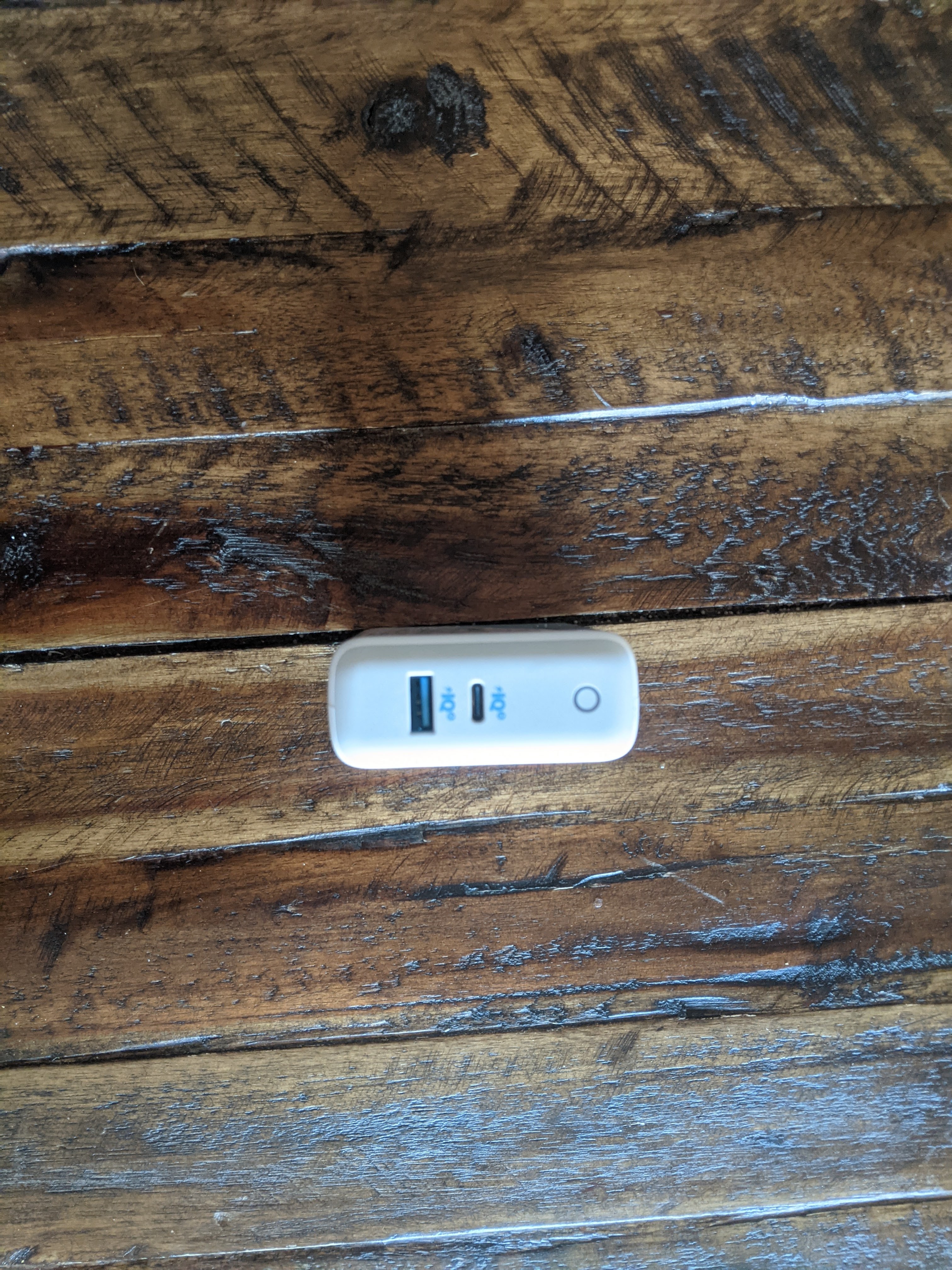
The power source for all these devices is a single brick, the Anker Power Port Atom III. This device allows for all my devices thanks to its power output. It does have an unneeded USB Type A port, but this was the best I was able to find a couple years ago, and it’s gotten the job done since. If I could reduce the size by removing the extra port, I would gladly do so.
A handy extra cord to keep around is a small HDMI. Most places have a TV that offers an easy hookup for my laptop or when I have it, my Nintendo Switch. It doesn’t take up much room, to the point where I actually forget it’s in my bag most of the time. I would like to eventually exchange this one for a longer but thinner cord.
Entertainment
The Nintendo Switch has been a solid console for the past few years. It’s hard to believe it came out four years ago now. With a number of great games to play both alone and with others, it’s an easy carry on just about any trip.
From time to time, I even bring the whole dock, allowing me to hook up the handheld console to a TV for group games. The past couple of trips, I’ve been on have been visiting family or friends and brought the Switch along for some fun. Right now, I only have Super Smash Bros Ultimate but am thinking I should expand my options for party games with what appears to be more flexibility in travel around the corner.
On a more productive note, I try to make sure I have at least a few books available to read at a given time. This lets me get reading done even if I’m not feeling a particular book at a given time. The tablet offers a multitude of books through apps like Kindle and Libby, but I do like to carry a physical book with me when traveling. The satisfaction of turning paper pages is one that can’t be replicated on a screen.
Backpack
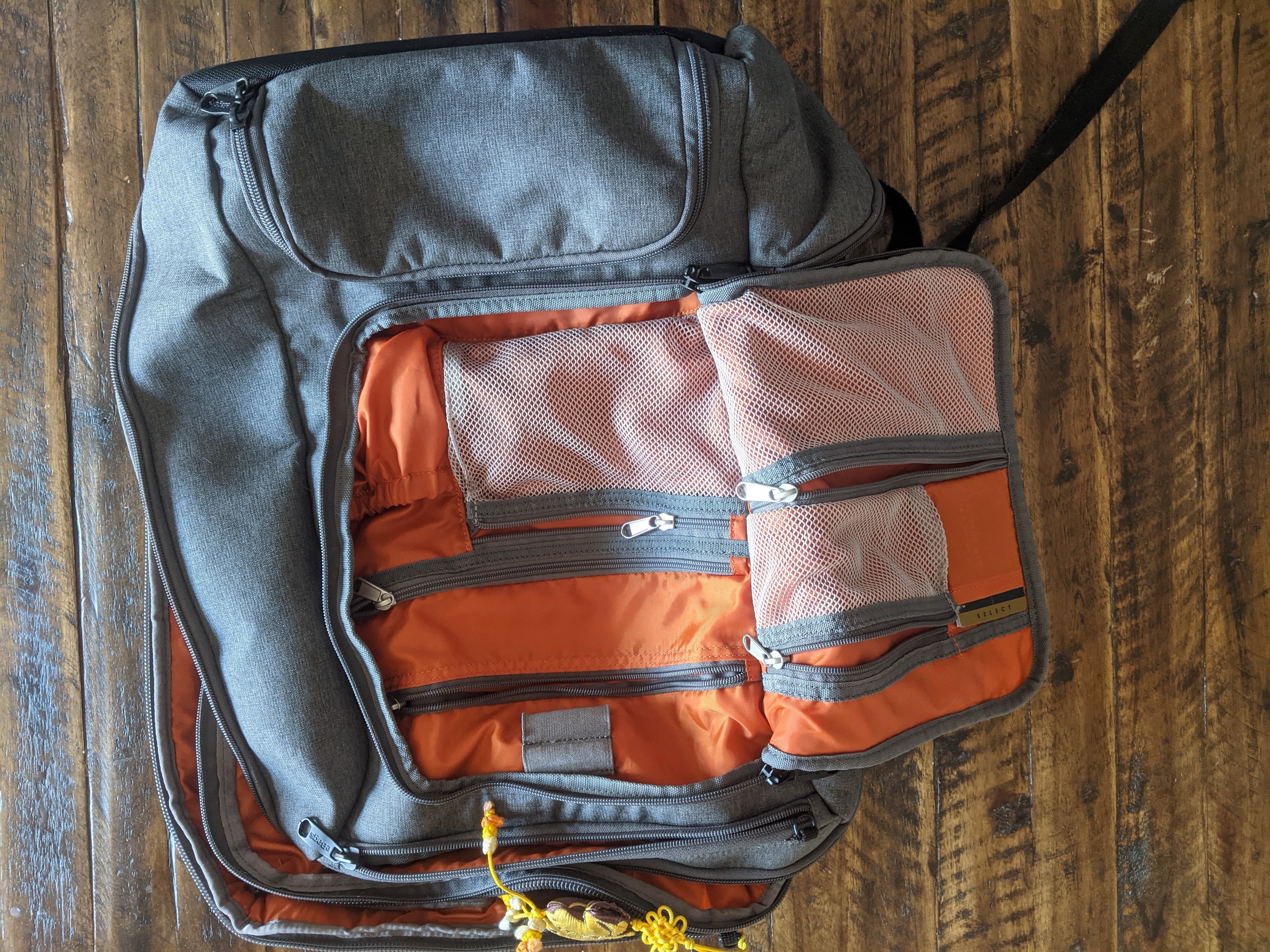
Last but not least, the bag that carries all of these things is the eBags Pro Slim Weekender. This bag has a lot going on, but once a certain section is figured out, it can be easy to organize. I like that just about anything is in easy access. I don’t feel I leave anything buried in this bag. This is largely because the main pockets can be opened flat, the primary reason I chose this bag over others.
Traveling with one bag not only saves me on airfare, but in general helps me from over packing. I do go overboard at times, but it’s still confined to the limits of the bag on my back. The current trip I’m on might not have been as feasible if I also brought a full suitcase for the drive down.
If this post was interesting, let me know. I can write a follow-up with more details on some of the other things I take along with me including clothes, workout gear, toiletries, etc. Until then, you can check out Tynan’s series I mentioned before or look for minimalist travel communities on sites like Reddit.
At this point, I don’t have much to say about my use of a second monitor. In spite of that, I’ll share some thoughts on computer based work.
The Good
I’m going to start out this list with what I think is the best part of my working conditions, being able to work from anywhere with an internet connection. While I work from home a majority of the time, I have many options open. With this freedom, I’ve been able to take a few trips to see family across the country without having to spend any time off.
Thanks to mobile hotspots, that opens me up to so many places. I once briefly worked from a rest stop in the midst of a long drive. The reason for my logging on during this drive seeps a bit into “the bad” territory, so I’ll save that for the next section.
With the freedom of working almost anywhere, it also offers flexibility of when to work. This doesn’t mean that I can just skip work whenever I want, but I do have loose working hours in a given day. Starting the day can range from 8 to 9 AM, and that’s without prior notice. With a request to managers, I’ve been able to work a 6 AM to 2 PM day in order to get on the road for a camping trip as soon as possible.
This flexibility doesn’t apply to just starting and stopping the work day. There are times when I don’t feel like I can put in a real effort into work. I might have slept poorly or am just distracted in general. I can step away for a bit and come back to my work later with a better mind to tackle the task ahead.
Regarding the actual work done, the resulting creation is one of my favorite elements. Computers allow us to create something from nothing. By pressing a bunch of keys over and over, eventually the computer can make what the creator wanted, or a close approximation at least. While this isn’t as evident in my day job, a lot of my hobbies really scratch this itch, especially game development.
I am an amateur through and through, but even I am amazed that a bunch of words I put on a screen result in various results by a player’s input.
The Bad
While all the above are great, computer based jobs do have their downsides.
Freedom and flexibility can be nice, but they also open a door to always be able to work. Sometimes it can be hard to just put something down for the day and get to other responsibilities like health and relationships.
This is where that rest stop work comes in. I was on a drive to a camping trip and I wanted to check a few things a few hours after work. There have been other times I’ve put off other things for a chance to check in on work.
Some positions, mine included, involve “on call” work, which means that I am on deck to assist if something comes up and receive a call. Admittedly, I’ve been very lucky in this department as I’ve had only a handful of issues come up in my time working. Admittedly, the biggest annoyance here is getting spam calls on my work phone, as I feel obligated to answer in case it’s some issue popping up.
The other challenge I regularly face is the habits this work develops. For the most part, I’m stationary and staring at a screen for several hours straight. If I’m feeling tired or sore on a given day, I might find myself sitting for most of those hours too.
Addressing the Bad
Luckily, these negative elements are pretty easy to mitigate.
For the timing and responsibility, having scheduled events shortly after work has helped a lot. A group of friends started running shortly after work hours, so joining them has been a good way to unplug when needed.
The runs after work are also a nice way to get some movement in. Also with the weather getting nicer, getting outside has become less of a hassle. I’m trying to get lunchtime walks back into my daily routine. They are a nice way to move around and take a break from screens for at least a few minutes per day.
Just by looking at the word count of the sections above, it’s easy to tell I overall enjoy the opportunities I have working the way I do, even if there are some possible downsides.
My focus for the early part of this year is to improve my productivity. Because my job has me working on a computer, an easy tool I can use is a second monitor. I’ve actually had the setup available for some time but haven’t had the push to get it working on a daily basis.
The Purpose
Every office job I’ve worked has relied on at least two monitors per person. When I went into the office regularly, I became used to the setup and found my monitors full of windows. For a little over a year, my primary work device has been a single 13 inch laptop. While it’s more than enough to get my work done, it’s quite a step away from two 22 inch monitors.
While utilizing only one screen I’ve developed two habits. One, I rarely maximize windows. Having free space around a window makes it feel less overwhelming and easier to move between windows. Two, I rely heavily on keyboard shortcuts, especially Alt+Tab. Shortcuts help to reduce the time in finding the windows I need.
Even though I’ve had the resources and ability to use a second monitor for a while, I’ve rarely used it for work. The only time I’ve regularly used it is while streaming games on Twitch. It’s nice to have the game I’m playing on one screen and the Twitch dashboard, with chat and replay, up on the other.
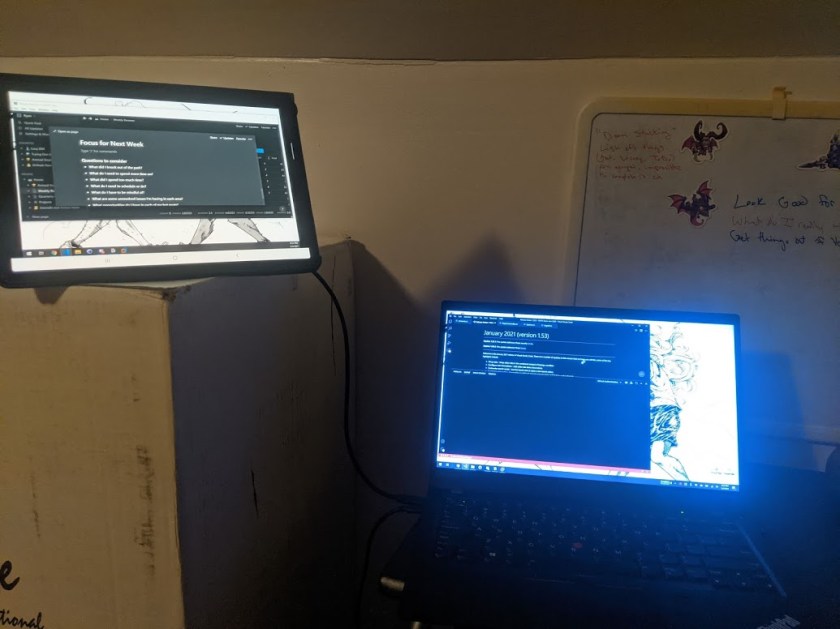
Building the practice back into my regular work day is something I see offering potential to help. Working as a programmer, I often have a variety of reference materials, documents, and emails open at one time. I’ve long flipped back and forth between documentation and the actual workspace. With a second screen, I can instead use the second smaller monitor for anything I need momentarily. This keeps my main screen focused on the actual work.
Tools I’m Using
The setup I’m using is a simple app called TwoMon. The app allows full control over a tablet’s screen, including the touch functionality, by connecting a USB cable. It was cheap compared to buying a whole second monitor, as the tablet is something I already own.
The tablet is a Samsung Galaxy Tab S6. I use it for a variety of other things, so adding it in as a second screen just enhances its functionality.
The reason I really like this setup is that it allows me to use a second screen not only while at home but also if I’m traveling. The tablet is something I already bring regularly for e-books and other entertainment, so it doesn’t require me carrying around extra gear.
Thoughts So Far
The experience has, so far, been a mix of pros and cons. There are times I can shove some windows that don’t need to be at the forefront to the other screen and have my important screens right in front of me.
There have been a few times that something will pop up in my peripheral vision and start pulling me down an email rabbithole or other distraction.
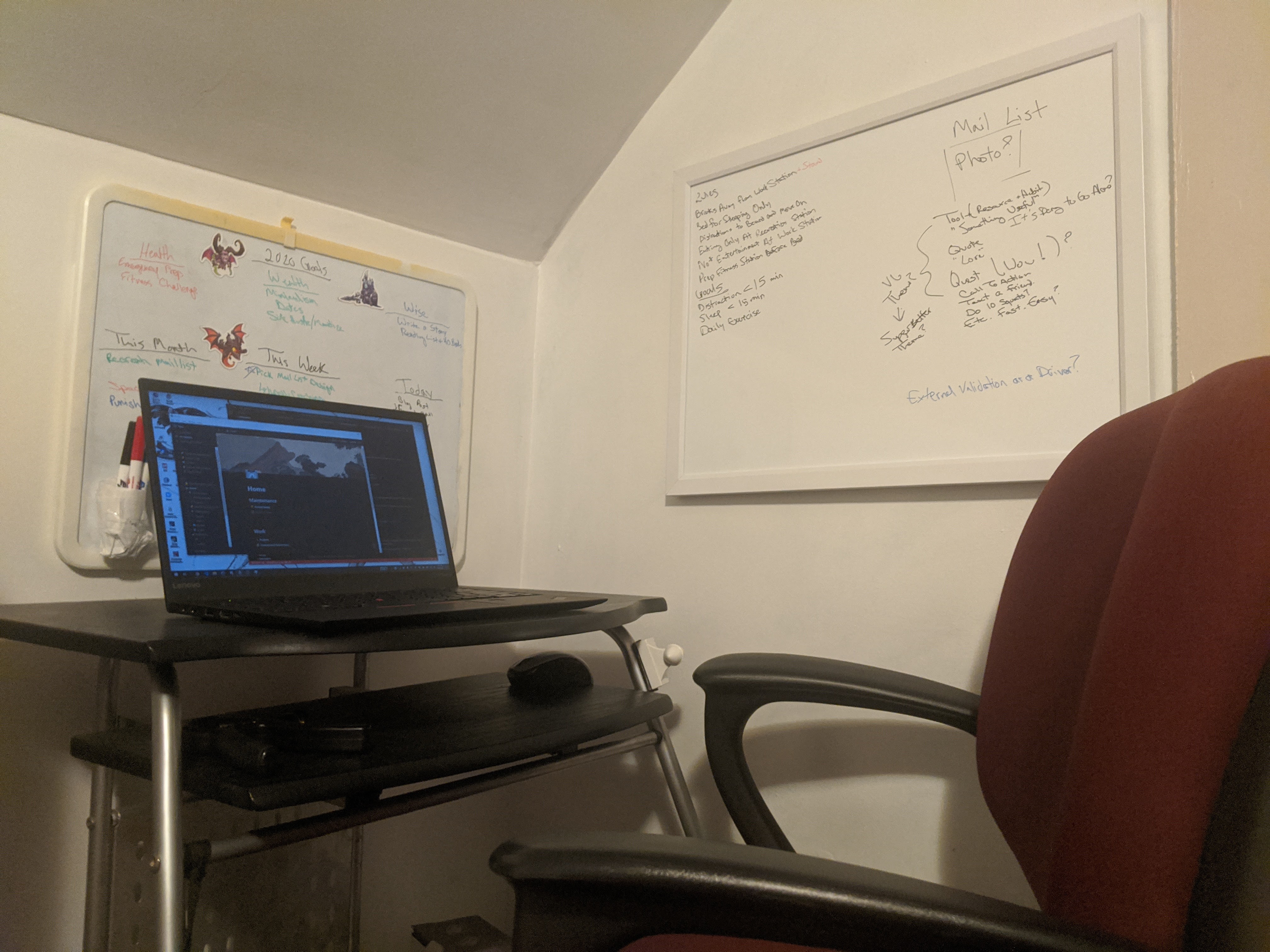
I did find a cool feature of my tablet that allows for multiple apps to show on screen. This allowed me to have a notes app open alongside my second screen. The tablet in use has a stylus with it, giving me an easy spot to quickly jot down notes. At home, I have two whiteboards at my desk, but I can see the functionality being helpful when traveling. This feature also helps shrink down the size of my second work screen to reduce my chance of distraction.




 Trying Out Before Buying In